
Business
How to Start a Business in Canada: How I Did It Myself, and What I'd Do Today
By Gopi · Last verified
When I decided to start a business in Canada, I was at ground zero. I knew what I wanted to do (today I help businesses optimise how they work, including adopting AI), but I had no idea how to set up a company, stay compliant or deal with the CRA. In 2019 I incorporated federally, by myself, on the government website. Later I discovered Ownr and used it for another incorporation and a sole proprietorship. This page is everything I learned, in the order you’ll need it, with the video I made for each step.
In short
- Pick a structure: sole proprietorship (simplest), partnership, or corporation (separate legal entity, more filings). Federal or provincial.
- Register: do it yourself on the government site (cheapest, takes care) or use a service like Ownr (faster, guided). I’ve done both.
- Business Number: register online only. The CRA stopped phone registrations on November 3, 2025.
- Money: a separate business bank account from day one, and bookkeeping software sooner than you think. I use Xero.
- Every year: a federal annual return ($12 today; always confirm the current fee on the government site), a T2 corporate tax return (online only; paper is no longer accepted), and nil reports when nothing happened.
- Don’t forget: a matching domain, social handles and a professional email. Most people think of these too late.
Your start-a-business checklist
- 1. Start with the idea and a simple plan
- 2. Pick your business structure
- 3. Register: do it yourself or use a service
- 4. Get your Business Number, check GST/HST and licences
- 5. Open a business bank account
- 6. Set up bookkeeping
- 7. Claim your domain, handles and email
- 8. Put the yearly filings in your calendar
Tick each step as you finish it. Your ticks stay on this device only.
Every tool and official page I mention is also collected in everything in one place at the end.

1. Start with the idea and a simple plan
My take
Write down what you sell, who pays for it and what it costs to run. One page is enough to start. Then look at grants and programs before you spend your own money.

More videos for this step:
- 8 mistakes to avoid in business (opens YouTube in a new tab)
- How to get business grants and funding in Canada (opens YouTube in a new tab)
- Building a financial plan for your business (opens YouTube in a new tab)
Need ideas? See my 10 low-cost business ideas for new immigrants.
2. Pick your business structure
My take
As one person selling services, I chose a federal corporation. A sole proprietorship is simpler and cheaper to start, but your personal and business finances are legally the same thing. Read the official comparison before deciding.
| Structure | In plain words | Good to know |
|---|---|---|
| Sole proprietorship | You and the business are one and the same | Easiest and cheapest; you’re personally responsible for debts |
| Partnership | Two or more owners sharing the business | Write down who does and owns what |
| Corporation | A separate legal entity that you own | Limited liability, but more filings every year |
Federal or provincial? A federal corporation (Corporations Canada) protects your name across Canada; a provincial one is registered in your province. Mine is federal, so the yearly filings below are the federal ones. Provincial rules and fees differ. The Government of Canada compares the options on its business structures page.

More videos for this step:
- Why incorporate a business in Canada (opens YouTube in a new tab)
- How to incorporate a business in Ontario (numbered) (opens YouTube in a new tab)
- How to register a sole proprietorship in Ontario (opens YouTube in a new tab)
- How to register a sole proprietorship in Alberta (opens YouTube in a new tab)
Show 4 more videos
- How to register a sole proprietorship in British Columbia (opens YouTube in a new tab)
- How to register a sole proprietorship in Quebec (opens YouTube in a new tab)
- How to start a company in Quebec (opens YouTube in a new tab)
- Open an incorporation in Alberta: numbered process (opens YouTube in a new tab)
3. Register: do it yourself, or use a service
My take
For my first corporation I read the government pages and filled in every form myself. It was the cheapest way, and I learned a lot. For later registrations I used Ownr, and it was much faster. Both work; it depends on whether you have more time or more money.
Doing it yourself: create an account on the Corporations Canada online filing centre, choose a name (or a numbered company), fill in the articles of incorporation, and list your individuals with significant control. Check every field twice; this is your company’s legal record.
Using a service: you answer simple questions (name, address, province, structure) and the service prepares and files the forms for you, and keeps your corporate records afterwards. I learned about Ownr after my first incorporation, then used it for another incorporation and a sole proprietorship. More in my Ownr guide.
I use this
Ownr
I used Ownr for an incorporation and a sole proprietorship after doing my first one myself. I like its easy interface and bundled plans. My referral link remembers you for 30 days after you click.
Visit Ownr (referral link)

More videos for this step:
- How to fill in the articles of incorporation (opens YouTube in a new tab)
- Individuals with significant control, explained (opens YouTube in a new tab)
- How to register a business in Canada, step by step (opens YouTube in a new tab)
- Ontario business registration tutorial: the Ownr platform (opens YouTube in a new tab)
Show 1 more video
4. Business Number, GST/HST, licences and permits
My take
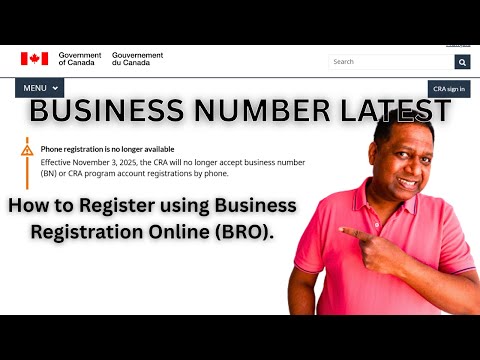
When I started, you could call the CRA to get a Business Number. Not any more: since November 3, 2025, the CRA only accepts Business Number and program account registrations online, through Business Registration Online, and you get the number right away.
- Business Number (BN): sign in to your CRA account, add a business account and use Business Registration Online (CRA).
- GST/HST: you’re a “small supplier” until your taxable sales go over $30,000 in a single calendar quarter, or over four consecutive quarters. Then you must register and charge it. You can also register voluntarily (CRA).
- Licences and permits: depend on your industry and city. Search yours on BizPaL. My business didn’t need any, but many do. Details in my licences and permits guide.
More videos for this step:
- Crossed $30k in sales? Don't make this GST/HST mistake (opens YouTube in a new tab)
- How to apply for a business licence and permit in Canada (opens YouTube in a new tab)
5. Business banking and investing
My take
Keep business money separate from day one. I use Wealthsimple business chequing because there’s no monthly fee, and a Questrade corporate margin account to invest money the business doesn’t need yet.
- Business chequing: Wealthsimple’s business chequing has no monthly account fee and is designed for incorporated businesses (Wealthsimple). Compare it with your bank’s business accounts.
- Investing inside the corporation: both Questrade and Wealthsimple offer corporate investing accounts. I compare them in Wealthsimple vs Questrade.
Before you invest inside your corporation
Investment income earned inside a corporation (passive income) is taxed differently from your business income, and above certain amounts it can reduce the small business tax rate your corporation gets on its active income. Every situation is different: a tax professional can explain how it applies to yours before you start.

More videos for this step:
6. Bookkeeping: start simple, then buy back your time
My take
I started with Excel: invoices, expenses, a few categories. It worked while the business was small. Then I realised a proper tool gives you back time, and that time is worth far more than the subscription you save by staying in Excel. Today I use Xero.
Bookkeeping software connects to your bank, sorts income and expenses, and makes tax time much calmer. Whatever you use, ask an accountant to review your setup at least once.
I use this
Xero
What I use for my business bookkeeping, after outgrowing Excel.
Visit Xero (affiliate link)
If you’d rather have email, CRM, invoicing and dozens of other business apps under one account, Zoho is the all-in-one alternative, with a Canadian data centre.
I use this
Zoho
Business email, CRM, bookkeeping and more from one account, with a Canadian data centre.
Visit Zoho (affiliate link)

More videos for this step:
- The ultimate Xero accounting tutorial for beginners (opens YouTube in a new tab)
- Quick guide to Zoho One: all 45 apps explained (opens YouTube in a new tab)
7. Your website, email and online presence
My take
This is the step most new owners skip, then regret. Before you register your business name, check that the domain and social media handles are free, so everything matches from day one. Clients find you, trust you and remember you more easily.
- Domain: buy the one that matches your business name before someone else does.
- Social handles: claim the same name on every platform you might use, even the ones you won’t use yet.
- Professional email: [email protected] looks far more trustworthy than a free email address. Zoho (above) is one way to set it up.
- A simple website: even one page with what you do and how to reach you.
Want this done properly?
I help businesses set up a professional website, email and online presence, and adopt AI in how they work. The people I’ve worked with were glad they didn’t have to figure it out later.
Ask me about your business8. Once your business is running: your yearly checklist
My take
Registering is one day’s work; staying in good standing is every year. Put these in your calendar. Corporations Canada will even email you a reminder for the annual return. My video for each one is listed below the table.
| What | When | Cost |
|---|---|---|
| Federal annual return, with your individuals with significant control | Every year | $12 online |
| T2 corporation income tax return | Every year, after your corporation’s year-end | No CRA fee |
| Nil T2, if there was no income or expense | Same as the T2 | No CRA fee |
| Payroll nil remittance, if you have a payroll account but paid no one | By the date your payment would have been due | Free |
| GST/HST return, if registered | Each reporting period | No fee to file |
| Changes to directors or office address | Whenever they change | Filed online |
Fees and rules change. The $12 is today’s fee: always confirm the current fee, deadline and rules on the official Corporations Canada and CRA pages linked below before you file.
The T2 is now online only. For tax years starting after 2023, corporations must file their T2 return electronically, with a few exceptions (such as insurance, non-resident and tax-exempt corporations), and the CRA can charge a $1,000 penalty for filing on paper (CRA). In one of my early years I filed a nil T2 on paper because there was nothing to report; paper is no longer accepted for most corporations, even for a nil return. Step by step in my T2 nil report guide.
Annual return: every federal corporation files one each year to show it’s still active, or it risks being dissolved (Corporations Canada). The same place handles changes to your directors, office address and articles (keep your corporation in good shape).
Payroll nil remittance: if you opened a payroll account but had no employees in a period, tell the CRA online, by phone (TeleReply) or by mail, on or before the date your remittance would be due (CRA).

More videos for this step:
- Canada incorporation annual filing, step by step (opens YouTube in a new tab)
- How to file a T2 nil report, with the latest update (opens YouTube in a new tab)
- Filing a payroll nil report for your Canadian corporation (opens YouTube in a new tab)
- How to make a payroll remittance payment to the CRA (opens YouTube in a new tab)
Show 3 more videos
Changing your corporation’s name later? See changing your corporation’s name in Canada.
When you’re ready to hire people in other countries, usually once the business is growing, an employer-of-record service handles contracts, payroll and local rules for you.
Recommended
Deel
For hiring contractors or employees in other countries once your business is ready to grow beyond Canada.
Visit Deel (affiliate link)
Lessons I learned
- Start with the official government pages. They have the latest rules; blogs (including mine) can fall behind.
- The annual return and the T2 are two different things. One keeps your corporation alive with Corporations Canada; the other is its tax return with the CRA.
- File the T2 online. Paper is no longer accepted for most corporations, even when there’s nothing to report.
- Upgrade your bookkeeping early. Your time is worth more than the subscription.
- Secure your name online on day one. Domain, handles and email.
- Ask a professional for the tricky parts. Especially tax, passive income inside the corporation, and anything cross-border.
Questions people ask
Can I incorporate a business in Canada by myself?
Yes. I incorporated my federal corporation myself on the Corporations Canada website in 2019. It takes time and care with the forms. A service like Ownr does the paperwork for you for a fee.
How much does the federal annual return cost?
$12 when filed online with Corporations Canada, every year.
Do I have to file a T2 if my corporation had no income?
Yes. A corporation files a T2 every year, even with no income or expenses (a “nil” return), and for tax years starting after 2023 it must be filed electronically.
Do I need to file a payroll nil remittance?
If you have a payroll account with the CRA but paid no employees in a period, you report a nil remittance by the date your payment would have been due.
Can I still get a Business Number by phone?
No. Since November 3, 2025, the CRA only accepts Business Number registrations online, through Business Registration Online.
Everything in one place
My business toolkit
These are my referral and affiliate links. If you sign up through them, I may earn a reward (and with referral links, you may get one too), at no extra cost to you. You can always go to the company's website directly instead.
-
Incorporation and registration
Ownr: I used Ownr for a federal incorporation and an Ontario sole proprietorship. I like its easy interface and its bundled plans. My referral link remembers you for 30 days after you click.
Visit Ownr (referral link · I use this)
-
Bookkeeping
Xero: What I use for my business bookkeeping, after outgrowing Excel.
Visit Xero (affiliate link · I use this)
-
Automated/Robo-investing
Wealthsimple: I use Wealthsimple and have made several videos on it. If you use my refer-a-friend link, we both get rewarded when you open an account and deposit $100 within 30 days (check Wealthsimple's current conditions). You can also go to Wealthsimple directly, without this reward.
Visit Wealthsimple (referral link · I use this)
-
Online brokerage
Questrade®: Questrade® is a Canadian online brokerage. If you open a Questwealth Portfolios (managed investing) account through my link, I may earn a commission at no extra cost to you.
Visit Questrade® (affiliate link · I use this)
-
All-in-one business apps
Zoho: Business email, CRM, bookkeeping and more from one account, with a Canadian data centre.
Visit Zoho (affiliate link · I use this)
-
Hiring abroad
Deel: For hiring contractors or employees in other countries, once your business is ready to grow beyond Canada.
Visit Deel (affiliate link · Recommended)
Questrade® is a registered trademark and/or service mark of Questrade, Inc. Questrade, Inc. is a member of the Canadian Investment Regulatory Organization (CIRO) and a member of the Canadian Investor Protection Fund (CIPF).
Official pages to bookmark
- Choose a business structure and register (Government of Canada)
- Federal incorporation and keeping your corporation in good shape (Corporations Canada)
- Business Number: register online (CRA)
- When to register for GST/HST (CRA)
- T2 corporation income tax return (CRA)
- Payroll nil remittance (CRA)
- Licences and permits search (BizPaL)
All my business videos
Every video on this page, plus more, is organised step by step in my Business guide, and on YouTube in my business playlist.
This is my own experience as a federally incorporated business owner, not legal, tax or financial advice. Rules and fees change: check the official pages linked above, and speak to an accountant or lawyer for your situation.
What next
Read my Ownr guide, the T2 nil report guide, or follow every step in my Business guide.
Spot something outdated? Tell me in the YouTube comments on the related video, or use the contact form.